


This library has been deprecated in favor of HmsPickerView
A simple Hours-Minutes-Seconds time picker. Available for a custom view or a dialog.
Separated and optimized from android-betterpickers hmspicker(in order to shrink apk size and add features).
| Light Theme | Custom Theme | In the XML |
|---|---|---|
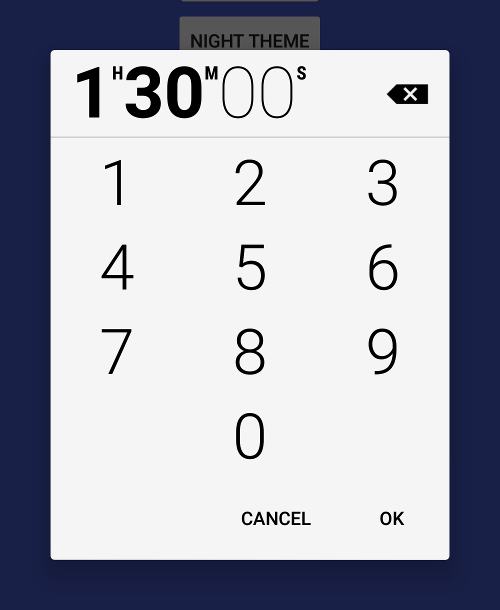 |
 |
 |
Step 1. Add the JitPack repository to your build file
Add it in your root build.gradle at the end of repositories:
allprojects {
    repositories {
        ...
        maven { url 'https://jitpack.io' }
    }
}
Step 2. Add the dependency =>
dependencies {
    implementation 'com.github.DeweyReed:HmsPicker:+'
}<io.github.deweyreed.hmspicker.HmsPicker
android:id="@+id/hmsPicker"
android:layout_width="wrap_content"
android:layout_height="wrap_content" />Then, use hmsPicker.getHours() to get users' input.
Implement HmsPickerDialog.HmsPickHandler for your activity or whatever.
class MainActivity : AppCompatActivity(), HmsPickerDialog.HmsPickHandler {override fun onHmsPick(reference: Int, hours: Int, minutes: Int, seconds: Int) {
longToast("reference: $reference, hours: $hours, minutes: $minutes, seconds: $seconds")
}Then, build it.
HmsPickerBuilder(supportFragmentManager, this)
    .setStyleResId(R.style.CustomHmsPickerTheme)
    .setReference(255)
    .setTime(1, 23, 45)
    .setLeftButton("×", object : HmsPicker.OnLeftRightClickHandler {
        override fun onClick(view: HmsPicker) {
        }
    })
    .setRightButton("√", object : HmsPicker.OnLeftRightClickHandler {
        override fun onClick(view: HmsPicker) {
        }
    })
    .setDismissListener(DialogInterface.OnDismissListener {
    })
.show()Default is a light one(R.style.HmsPickerThemeLight) and a dark one(R.style.HmsPickerThemeDark) is also available.
You can create your own theme. Example can be found here.
Remember that drawables you use should be selector or ripple.
Apache License 2.0 for android-betterpickers.
MIT License for this project.